
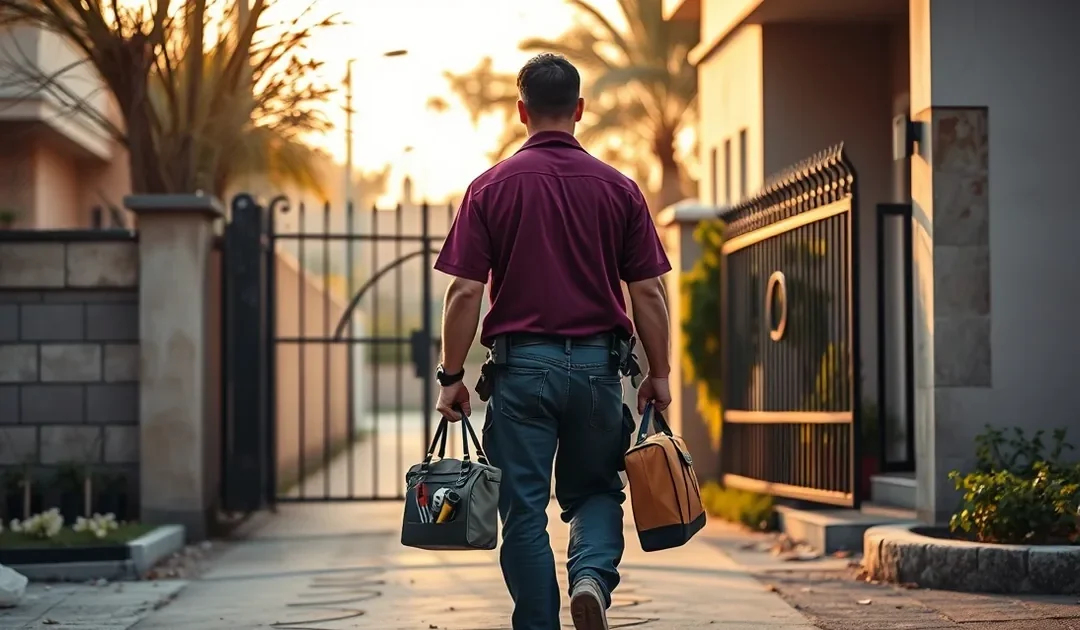
A business without a shop can appear on Google Maps if it meets customers in person, by setting up a service-area profile that hides its address and lists the areas it serves instead. Home bakers, tutors, plumbers, electricians and many online sellers qualify. What does not qualify is an address you do not actually operate from, such as a virtual office.
This guide explains who can appear on Google Maps without a shopfront, how to write a Pakistani address that has no postcode, how to set up a service-area profile, what to do in a plaza or market, what gets profiles removed, and how to rank without a visible pin.
Can a Business Without a Shop Appear on Google Maps?
Yes, if it has in-person contact with customers. Google allows businesses that travel to customers to create a profile, hide their address and show a service area instead.
Google Maps is Google’s map service, and the business listings on it come from Google Business Profiles. Google’s “Guidelines for representing your business on Google” set the rule: “If your business either has a physical location that customers can visit, or travels to customers where they are, you can create a Business Profile on Google.”
For businesses that go to their customers, the guidelines are specific: “If you’re a service-area business, you should hide your business address from customers.” Google’s own example is a plumber who works from home: “clear the address from your Business Profile.” The profile then shows a shaded service area instead of a pin.
The rule turns on in-person contact. A business that only sells online, with no customer meetings, deliveries in person or visits, is not eligible for a Business Profile on its own.
Which Businesses Does This Affect in Pakistan?
Home-based bakers and caterers, tutors who visit homes, plumbers, electricians, AC technicians, cleaners, beauticians who visit clients, and online sellers who deliver or meet customers in person.
- Home-based food businesses that deliver cakes, meals or catering.
- Tutors and trainers who teach at students’ homes.
- Trades such as plumbers, electricians, carpenters, painters and AC technicians.
- Home services such as cleaning, pest control and beauty services at home.
- Online sellers who deliver personally or let customers collect from them.
Businesses that customers visit, such as a clinic, a salon or a shop in a plaza, show their address normally, even when the address is hard to write.
Want Help Getting Your Business on the Map?
ORM sets up, verifies and optimises Google Business Profiles for service-area and home-based businesses across Pakistan.
How Do You Write a Pakistani Address With No Postcode?
Write it from the smallest unit to the largest: house or plot number, street, block, phase or sector, area or society, then city, and use exactly the same version everywhere.
Many Pakistani addresses have no postcode in everyday use and are written differently each time. Google, customers and directories all match a business by its name, address and phone number, so a consistent format matters more than a perfect one. NAP consistency means your business Name, Address and Phone number are written identically wherever they appear.
| Part | Example format |
|---|---|
| House or plot | House 12 |
| Street | Street 4 |
| Block | Block C |
| Phase or sector | Phase 2 |
| Area or society | The housing society or neighbourhood name |
| City | Multan |
At ORM, we fix one address string for each client and use it, word for word, in the Google Business Profile, on the website, in every directory listing and in the website’s structured data. If the profile says “Block C” and the website says “C-Block”, the business looks like two businesses to anything that compares them.
How Do You Set Up a Service-Area Profile, Step by Step?
Create the profile with your real base address, choose that you serve customers at their locations, add your service areas, hide the address from customers, and verify the profile.
- Start the profile in Google Business Profile with your business’s real name, the name customers know.
- Choose the primary category that describes what you do, such as “Plumber” or “Bakery”.
- Enter your real base address. Google uses it for verification even when it is hidden from customers.
- Say that you serve customers at their locations, then add the cities or areas you actually serve.
- Hide the address from the public profile if customers do not visit you.
- Add a phone or WhatsApp number that someone answers, plus your hours and website.
- Verify the profile with the method Google offers. Our guide to Google Business Profile video verification explains how to pass the video method, including for home-based businesses.
What About Shops in Markets and Plazas?
Shops in plazas and markets show their address normally; include the shop number, floor and plaza name so customers can find the exact unit, and place the pin on the building.
Plaza and market shops are visited by customers, so they are not service-area businesses. The challenge is precision: dozens of businesses share one building. Write the unit details in the address, such as “Shop 14, Ground Floor”, followed by the plaza name, the road, the area and the city, and drag the map pin to the right building. A photo of the shopfront and a short note on how to reach the floor help customers find you.
What Gets Google Business Profiles Removed?
Virtual offices, addresses you do not operate from, mailboxes, keywords added to the business name, and duplicate profiles for the same business are the usual reasons for suspension.
- Virtual offices. Google’s guidelines state that if a business “rents a physical mailing address but doesn’t operate out of that location, also known as a virtual office, that location isn’t eligible for a Business Profile.”
- Mailboxes and remote post boxes. The guidelines state that “P.O. boxes or mailboxes located at remote locations aren’t acceptable.”
- Borrowed or fake addresses. A relative’s shop or an empty plot you do not work from.
- Keyword-stuffed names. The name must be the business’s real-world name “as used consistently on your storefront, website, stationery”, not “Best Plumber in Multan 24/7”.
- Duplicate profiles. One business, one profile per real location. Several profiles to cover several areas are not allowed for a service-area business.
How Do You Rank on Maps Without a Visible Pin?
Service-area profiles rank on the same signals as any profile: the right category, complete details, steady genuine reviews, real photos, and a website with clear pages for your services and areas.
- Category. The primary category is the strongest choice you make. Add secondary categories only for services you really offer.
- Completeness. Services, hours, description, phone, website and service areas all filled in.
- Reviews. Ask every satisfied customer, steadily, and reply to each review.
- Photos. Your work, your vehicle, your tools and your team, not stock images.
- Website signals. A page for each main service, the areas you serve, and the same name, address and phone number as the profile.
- Local citations. A local citation is any listing of your business name, address and phone number on another website, such as a directory. A few accurate ones help; many inconsistent ones hurt.
Hyperlocal SEO, the work of ranking for searches in a specific neighbourhood or block, matters most in dense cities, where customers search for services in their own society or phase. If your website itself is not appearing in search, our guide on why a website is not showing on Google covers the website side.
Last Thoughts on Getting on Google Maps Without an Address
A business without a shop can appear on Google Maps when it meets customers in person. Set up a service-area profile with your real base address, hide that address, list the areas you serve, and verify the profile. Write your address in one consistent format from house to city, use it everywhere, and avoid virtual offices, borrowed addresses and keyword-stuffed names. Rank with the right category, steady reviews, real photos and a website that matches the profile.
Key Takeaways
- Businesses that travel to customers can have a Business Profile with a hidden address.
- Online-only businesses with no in-person contact are not eligible on their own.
- Write the address from house to city and use the same version everywhere.
- Virtual offices, remote mailboxes and keyword-stuffed names get profiles removed.
- Category, reviews, photos and matching website details drive Maps rankings.
Frequently Asked Questions (FAQs)
Can I list my home business on Google Maps?
Yes, if you meet customers in person, at their location or yours. Set up a service-area profile and hide your home address if customers do not visit.
Will my home address be public?
Not if you hide it. Google still needs the address for verification, but a service-area profile shows your service area instead of your address.
Can I use a virtual office address?
No. Google’s guidelines state that a virtual office is not eligible for a Business Profile, and using one often leads to suspension.
Why is Google Maps not showing my address?
Usually because the profile is set as a service-area business with the address hidden, or because the profile is not yet verified.
How do I add a plaza shop number?
Put the shop number and floor at the start of the address, then the plaza name, road, area and city, and place the pin on the right building.
Can I list my business in more than one area?
Yes. A service-area profile can list the cities or areas you serve. Do not create separate profiles for each area.
Can an online-only store appear on Google Maps?
Not on its own. Google requires in-person contact with customers, such as delivery by you or a pickup point.
Do I need a shop to get Google reviews?
No. A verified service-area profile can collect reviews from customers just like a shop.
What is NAP consistency?
Writing your business Name, Address and Phone number identically everywhere they appear, so Google and customers see one business.
Can I put keywords in my business name on Google?
No. Use your real-world business name as it appears on your signage, website and stationery. Added keywords can get the profile suspended.
How long does it take to appear on Google Maps?
Once verified, the profile can appear within days. Ranking well for competitive searches takes longer and depends on reviews, completeness and your website.
Free Audit Call
Want Help Getting Your Business on the Map?
Book a free 20 to 30 minute call on Zoom, Google Meet or WhatsApp. We look at your site, your Search Console and the businesses ranking above you, then tell you what would move first.
Prefer to talk now? Call +92 300 6456323. Quotes are shared on WhatsApp once we have seen your numbers.
Nizam Ud Deen, author of The Local SEO Cosmos, is a seasoned SEO Observer and digital marketing consultant with close to a decade of experience. Based in Multan, Pakistan, he is the founder and SEO Lead Consultant at ORM Digital Solutions, an exclusive consultancy specializing in advanced SEO and digital strategies.
In The Local SEO Cosmos, Nizam Ud Deen blends his expertise with actionable insights, offering a comprehensive guide for businesses to thrive in local search rankings. With a passion for empowering others, he also trains aspiring professionals through initiatives like the National Freelance Training Program (NFTP) and shares free educational content via his blog and YouTube channel. His mission is to help businesses grow while giving back to the community through his knowledge and experience.